
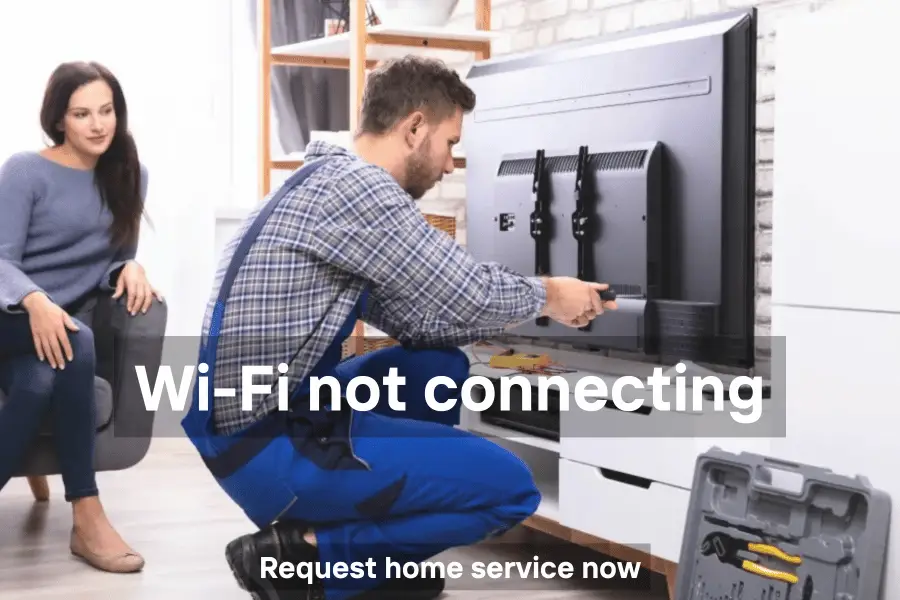
Is your Smart TV or TV box unable to connect to Wi-Fi? Many users face issues where the TV shows it’s connected, but there’s no internet, apps won’t load, or it refuses to detect the network. Riyadh Electronic TV Repair Shop, Uttara Bashundhara provides 24/7 professional home TV Wi-Fi troubleshooting and repair across Dhaka.
There is no better institution in Dhaka city for fast, reliable Smart TV Wi-Fi and network solutions.
Common TV Wi-Fi Issues
- TV Wi-Fi not connecting
- Smart TV box Wi-Fi won’t connect
- TV connected to Wi-Fi but no internet access
- LG or Sony Smart TV network connection problems
- Walton or Vision TV Wi-Fi connection issues
- TV doesn’t detect Wi-Fi or disconnects frequently
- TV stuck on “connecting” or “authentication failed”
Quick Fixes You Can Try
- Check Date & Time: Set TV clock to Automatic. Incorrect time can block server authentication.
- Forget and Reconnect: Delete the saved network and reconnect. Use 2.4GHz band if 5GHz is unstable.
- Static IP: Assign a fixed IP address in the TV’s network settings to avoid conflicts.
- Reset Network Settings: In Android or Smart TV settings, use the Reset Network option.
- Reboot Router & TV: Power cycle both your Wi-Fi router and TV to refresh connection.
Brand-Specific Solutions
Global Premium Brands (Samsung, Sony, LG, Panasonic):
- Ensure Date & Time Sync is set to Auto.
- Firmware updates may be required if the TV cannot detect networks.
Global Value Brands (TCL, Hisense, Mi, Toshiba):
- Forget the Wi-Fi network, reconnect using correct credentials.
- Prefer 2.4GHz Wi-Fi if 5GHz is unstable.
Local Bangladesh Brands (Walton, Vision, Singer, Rangs):
- Assign a Static IP in network settings to avoid IP conflicts.
Budget/Android Brands (JVCO, Minister, Jamuna, Konka):
- Use the Reset Network Settings option in Android settings.
- Check for firmware updates to fix network connectivity issues.
Brands We Repair
Global Premium: Samsung, Sony, LG, Panasonic, Philips, Sharp
Global Value: TCL, Hisense, Xiaomi (Mi TV), Toshiba, Haier, Vizio, Skyworth
Local Bangladesh: Walton, Vision, Singer, Minister, Marcel, Jamuna, Rangs
Regional/Budget: JVCO, Minister, Jamuna, Konka, TMSS, Mango, Pentanik, Starex, MyOne
We repair all LED, OLED, QLED, Smart TVs, Android TVs, and TV boxes for these brands.
How We Repair TV Wi-Fi Issues
- Home visit anywhere in Dhaka
- Diagnose Wi-Fi hardware and software issues
- Reconfigure network settings, assign static IP if needed
- Firmware updates and network resets
- Test all Smart TV apps and streaming services
- Ensure stable and continuous Wi-Fi connection
Location and Contact
Shop Name: Riyadh Electronic TV Repair Shop
Address: Uttara Bashundhara, Dhaka
Google Map: Click Here
Phone: 01726-725236
Areas We Serve in Dhaka
Gulshan, Banani, Uttara, Bashundhara, Dhanmondi, Mirpur, Baridhara, Tejgaon, Jatrabari, Kazir Dighi, Baklia, Kamalapur, Khilgaon, and all luxury & local areas.
Why Choose Riyadh Electronic TV Repair Shop
- 24/7 home service across Dhaka
- Skilled and experienced technicians
- Repair for all global, local, and budget TV brands
- Honest pricing with no hidden charges
- Fast, reliable, and professional service
There is no better TV repair institution than Riyadh Electronic TV Repair Shop in Dhaka city.
Founder: Riyadh Nokti
Call Now: Don’t let Wi-Fi issues stop your Smart TV. Call 01726-725236 now for professional home repair of TV Wi-Fi and network problems in Dhaka.

Pingback: TV Repair Uttara: Quick and Trusted LED & Smart TV Service
Pingback: TV Repair Near Me — Trusted & Affordable LED TV Repair Service | Riyadh Electronics
Pingback: Samsung Smart TV Repair Service Near Me — Trusted Expert Fix in 2025 | Riyadh Electronics
Hello
Include tvsheba.com in GoogleSearchIndex to appear in online search results!
Submit tvsheba.com now: https://searchregister.org
Pingback: Best Samsung Smart TV Repair Service Near Me – Professional Technicians Available 24/7 - tvsheba.com
Hey
Insert tvsheba.com in GoogleSearchIndex so it can be visible in google search results!
Place tvsheba.com now: https://searchregister.org
Hello
Place tvsheba.com in GoogleSearchIndex and have it be displayed in google search results!
Place tvsheba.com now: https://searchregister.live
Hi
List tvsheba.com in GoogleSearchIndex to be displayed in google search results!
Feature tvsheba.com now: https://searchregister.info
Hi
Include tvsheba.com in GoogleSearchIndex to be displayed in web search results!
Register tvsheba.com now: https://searchregister.org